📋 Requirements
This page lists everything needed to build the Private Cloud Storage server — the physical hardware and the software stack it will run 🧰. All parts pictured below are already acquired.
🏆 Sponsored by
Parts for this build were made possible with support from Brunel Cybersecurity Society 🎓 and the CyberTutor Platform 💻🔐.
📦 Parts Overview
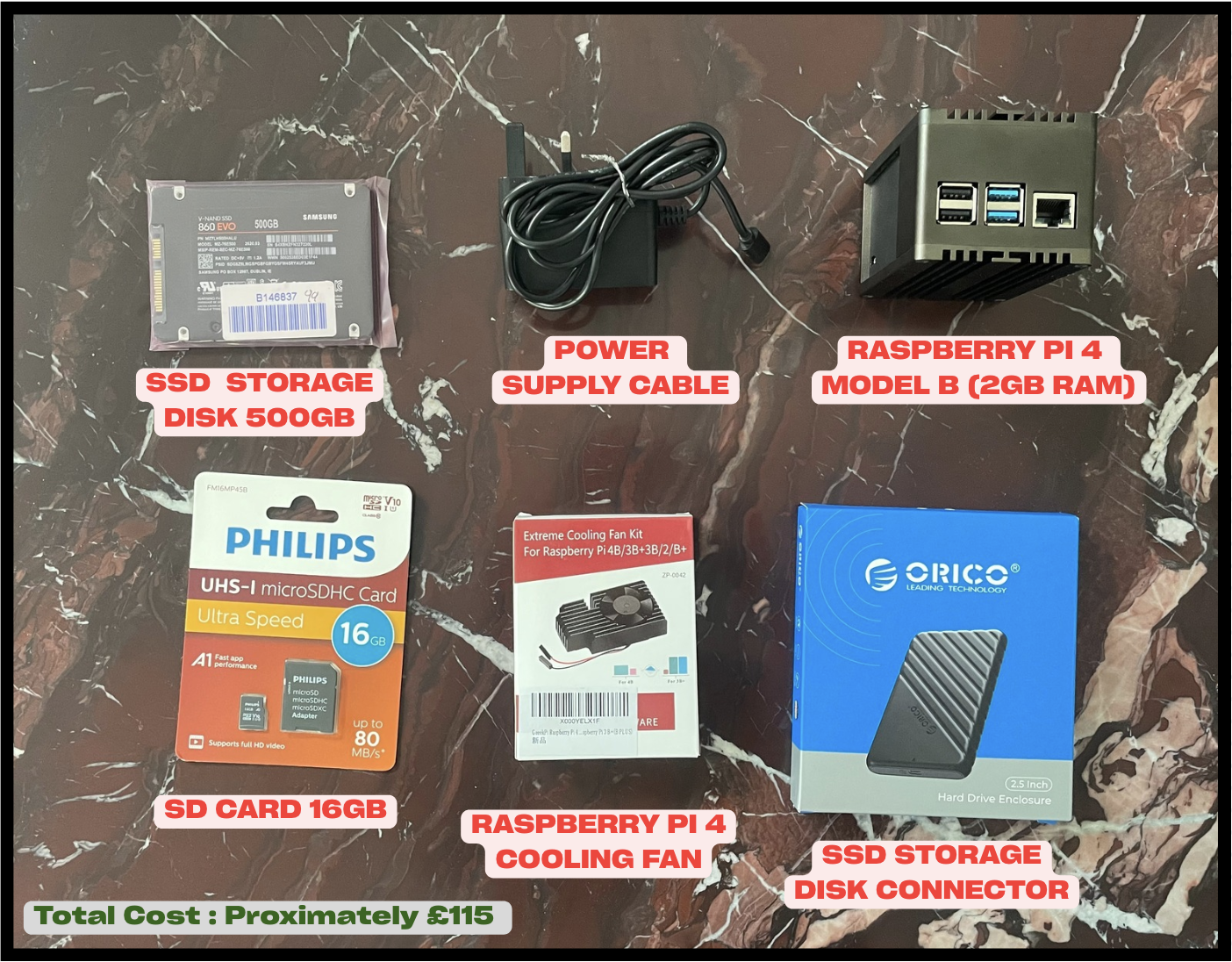
💰 Total cost: approximately £115
🛠️ Hardware Components
| Component | Role |
|---|---|
| Raspberry Pi 4 Model B — 2GB RAM | Main server (runs the OS and Docker stack) |
| Raspberry Pi Metal Case | Physical protection + passive heat dissipation |
| GeeekPi Extreme Cooling Fan Kit for Raspberry Pi 4 | Active cooling under sustained load |
| Raspberry Pi USB-C Power Supply | Stable, rated power delivery to the Pi |
| Philips 16GB Class 10 Micro SD Card | Boots the operating system |
| Samsung 860 EVO 500GB 2.5" SATA SSD | Main cloud storage volume (holds all Nextcloud data) |
| ORICO 2.5" USB-C SATA SSD Enclosure | Connects the SSD to the Pi over USB |
📝 Hardware Notes
- The Micro SD card is used only to boot the OS — all Nextcloud data lives on the external SSD, not the SD card, to avoid SD card wear and its slower, less reliable I/O.
- The SSD enclosure connects via USB, so throughput is bound by the Pi 4's USB 3.0 bus rather than true SATA speeds — acceptable for a home/personal-scale deployment.
- Active cooling (fan kit) matters because the Pi will run Docker, a database, and a cache continuously — sustained load raises thermal throttling risk on passive cooling alone.
- 2GB RAM is on the lower end for Nextcloud + MariaDB + Redis running together; this is a known constraint to watch during deployment and tuning (covered later in Nextcloud Deployment).
🐧 Operating System
- Raspberry Pi OS Lite 64-bit — a lightweight, headless (no desktop GUI) 64-bit build of Raspberry Pi OS. 64-bit is required for good Docker compatibility and performance; "Lite" avoids wasting RAM on a desktop environment that isn't needed for a headless server.
🐳 Container & Infrastructure Platform
- Docker Engine — container runtime that will run Nextcloud, MariaDB, and Redis as isolated, reproducible containers.
- Docker Compose — defines and manages the multi-container stack (Nextcloud + database + cache) as a single, version-controlled configuration file.
☁️ Cloud Storage Platform — Nextcloud
Nextcloud is the self-hosted private cloud platform this project is built around. Planned features to enable:
- Nextcloud Web Interface — browser-based access to files
- Nextcloud Mobile Application Sync — automatic sync from phone/tablet
- File sharing system — shareable links and permissions for files/folders
- User account management — accounts and access control for different users
- Calendar and contacts services — CalDAV/CardDAV sync alongside file storage
🗄️ Database & Performance Layer
- MariaDB — the relational database backing Nextcloud (file metadata, users, shares, app data). Chosen over the default SQLite for better performance and reliability under concurrent access.
- Redis — in-memory cache used for file locking and performance optimisation, reducing database load and preventing file-locking issues during sync.
✅ Software Prerequisites Checklist
- [ ] Raspberry Pi OS Lite 64-bit image downloaded and flashed to the Micro SD card
- [ ] SSH access enabled and tested on first boot
- [ ] Static IP (or DHCP reservation) assigned to the Pi on the local network
- [ ] SSD formatted, mounted, and set to auto-mount on boot
- [ ] Docker Engine and Docker Compose installed
- [ ]
docker-compose.ymldrafted for the Nextcloud + MariaDB + Redis stack - [ ] Domain name / Dynamic DNS decided (if remote access is planned)
🚀 Next step
Parts are confirmed and ready to go — the Installation section covers flashing the OS, first boot, and preparing the SSD for storage.